How ACS Pickup Points Can Transform Your Shopify Store’s Shipping 🚚

Jan Nemec
Jan Nemec
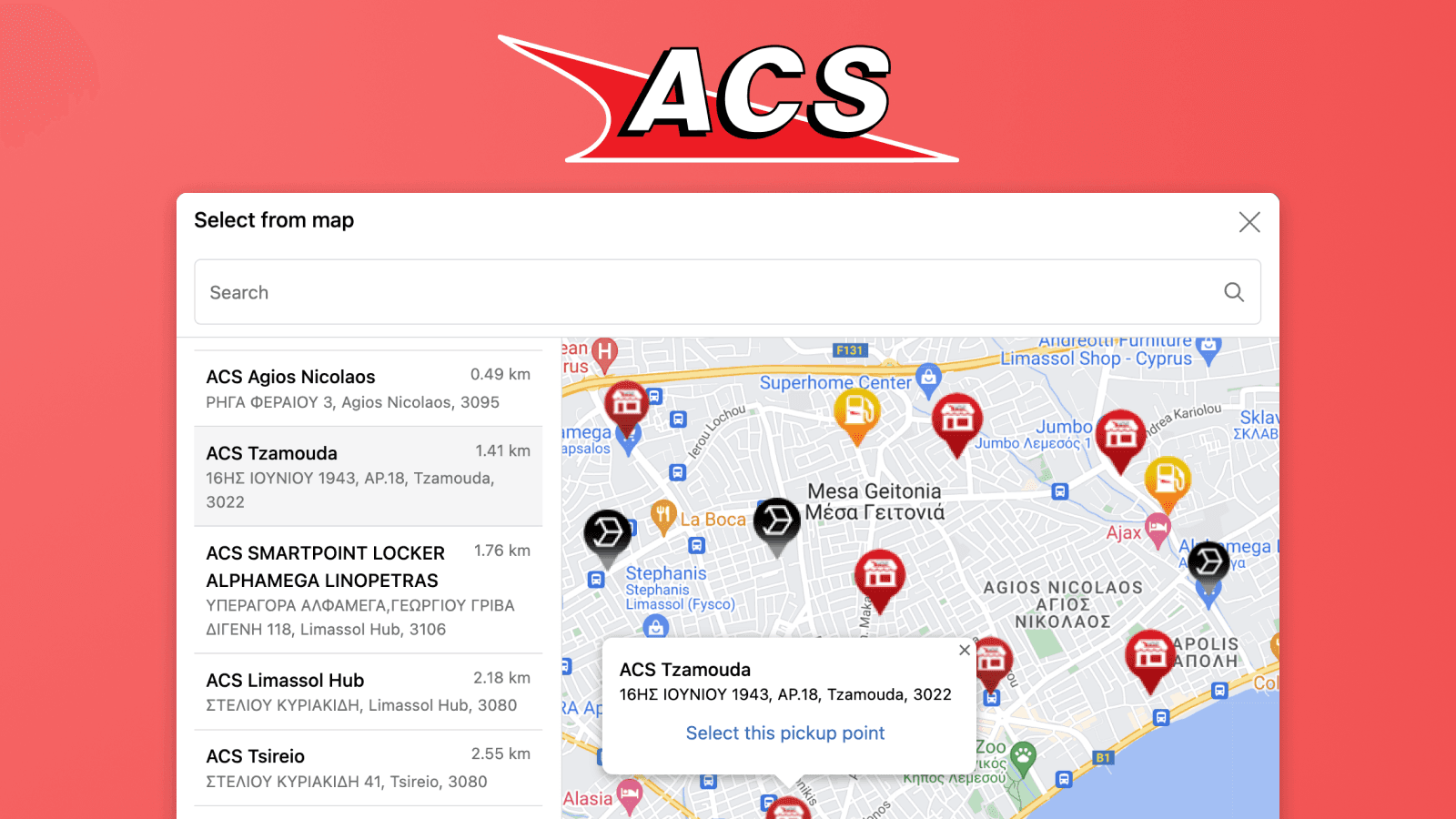
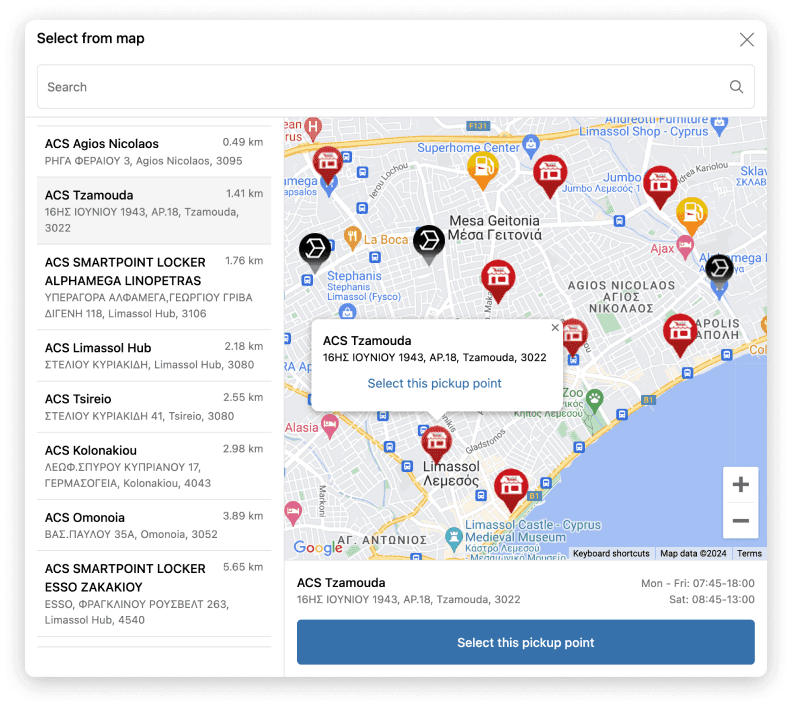
Map of ACS pickup points in Shopify

Discover how integrating ACS pickup points with your Shopify store can enhance your shipping strategy, boost customer satisfaction, and expand your market reach across Greece, Cyprus, Albania, and Bulgaria. The integration is powered by our Shopify app Globe.

Why choose ACS pickup points?

  • Cost efficiency — ACS pickup points can reduce shipping costs compared to home delivery, so you can offer more competitive prices and save on logistics.
  • Unmatched regional expertise — ACS is a leading provider in Greece, Cyprus, Albania, and Bulgaria, with 750+ service points and 15,000+ pickup points in Greece alone, so customers easily find the nearest location.
  • Speed and reliability — ACS is renowned for prompt, reliable service, letting your customers collect orders swiftly and conveniently.
  • Customer flexibility — the option to choose a pickup point is vital for customers who prefer collecting at a convenient time, removing the hassles of home delivery.
  • Environmental benefits — pickup points consolidate deliveries and reduce the carbon footprint of multiple home deliveries, supporting a more eco-friendly operation.
ACS pickup points on thank you page

Where your customers choose an ACS pickup point

Globe gives you several places to let customers pick a point — use one or combine them:

  • In the cart, before checkout — the Globe cart widget lets customers choose an ACS point right on the cart page or cart drawer, with a built-in map, address search, and geolocation.
  • As Carrier-Calculated Shipping rates (no Maps key) — Globe can surface the nearest ACS points as individual shipping rates at checkout via Shopify's Carrier-Calculated Shipping (CCS), based on the entered address — no Google Maps API key needed. (CCS is on the Advanced and Plus plans.)
  • Inside the checkout (Shopify Plus) — a full interactive map selection embedded directly in the Shopify checkout. This runs on the Google Maps API, so you add your own key.
  • Thank-you & order-status pages — selection (or a reminder) on the post-purchase pages, a reliable fallback for edge cases like express checkouts.

Set up ACS pickup points with Globe 🌍

  1. To display ACS pickup points, install the Globe: Pickup Points app from the Shopify App Store.
  2. Add a new shipping method for ACS pickup points. For example, name it '📦 ACS - Pickup Points'.
  3. In the Globe app, select ACS as the courier, assign the prepared shipping method, and activate reminder notification emails in your preferred languages.
Tutorial of how to set up ACS pickup points in Globe
  1. Add the Globe block (or the cart widget) to the surfaces you want — cart, checkout (Shopify Plus), thank-you, and order-status pages.
Example of how to add Globe block to checkout page

Do you need a Google Maps API key? 🗺️

Not necessarily — the key is optional.

  • Cart widget and shipping-rate display: no key needed. Without any key, customers can still select a pickup point from a clean dropdown/list view.
  • In-checkout interactive map (Shopify Plus): this always runs on the Google Maps API, so Plus merchants who show the map selection inside checkout add their own key for the best experience.

If you do want the interactive map, adding a key is quick — see our documentation.

Example of Setting Up the Google Maps API Key

Did you know that Decathlon uses Globe to display ACS pickup points?

That’s right! Decathlon Cyprus uses the Globe app with ACS pickup points to offer customers a flexible and convenient way to collect their orders — available directly on their checkout page — which helps streamline deliveries and improve the shopping experience.

More useful tips with the Globe app 🙌

While setting up ACS in Globe, you'll notice it's just as easy to add pickup points for dozens of other carriers, keeping all your shipping in one place. Advanced features include automatic updating of the delivery address to the selected pickup point and the ability to configure custom order attributes.

What Globe brings to your store:

  • 60+ carriers across 5M+ pickup points in 180+ countries, all in one app.
  • Pickup-point selection in the cart, at checkout (Shopify Plus), on the thank-you page, and on the order-status page.
  • Works with express checkouts (Shop Pay, PayPal Express, Google Pay, Apple Pay, and more).
  • Automatic multilingual reminder emails if a customer forgets to select a pickup point.
  • Automatic update of the delivery address and custom order attributes for smooth third-party integration.
  • Carriers include Packeta (Zásilkovna), DHL, GLS, PPL, DPD, InPost, Balíkovna, Hermes, Colissimo, Mondial Relay, ACS, and many more.
  • Friendly support available daily 🤗

See the full breakdown on the ACS page on Globe.

Let's try Globe now for free

5.0rating
3 000+users
Globe worldwide pickup points integration for all major carriers on Shopify
  • Integrates with all carriers
  • Worldwide pickup points
  • Fast and precise display

Frequently Asked Questions

No — it is optional. The cart widget and the shipping-rate display work without your own Google Maps key, and without any key customers can still choose from a dropdown list. You only need your own key for the interactive map selection inside the Shopify checkout (Shopify Plus), which always runs on the Google Maps API.

ACS is a leading logistics provider in Greece, Cyprus, Albania, and Bulgaria, with more than 750 service points and over 15,000 pickup points in Greece alone. Through Globe, customers are shown the nearest available ACS points for their address.

Yes. With the Globe cart widget, customers pick an ACS point directly on the cart page or cart drawer — before checkout — with a built-in map, address search, and geolocation. The thank-you and order-status blocks remain available as a fallback for edge cases like express checkouts that skip the cart selection.

Yes. Globe can surface the nearest ACS points as individual shipping rates at checkout, based on the address the customer enters — this needs no Google Maps API key at all. The full interactive in-checkout map selection is a separate option available on Shopify Plus.

The cart widget, thank-you page, and order-status page work on every Shopify plan. The Carrier-Calculated Shipping (CCS) rate display requires the Advanced or Plus plan (or the Grow plan with the carrier-calculated shipping add-on), and the interactive selection embedded directly in the checkout is available on Shopify Plus.

Interested in collaborating on a project?