How to Connect European Carriers and Pickup Points to Shopify
Adam Charvat
Across most of Europe, parcels do not go to the doorstep — they go to a locker or a pickup point. And that is exactly where Shopify stores stumble: the platform has no native concept of a pickup point, so the most common European delivery method looks impossible. It is not. You need one app and your own carrier contracts — and since we build this kind of fulfillment all the time, we wrote down how it all fits together.
Let's be clear about what "the whole fulfillment" means: the customer picks a pickup point, you print the label, hand the parcels to the carrier, the order marks itself as fulfilled and the customer receives tracking. Plus cash on delivery, popular in Central Europe, that reconciles itself once the parcel is collected. All from the Shopify admin, without hopping into carrier systems.
Where the customer picks a pickup point
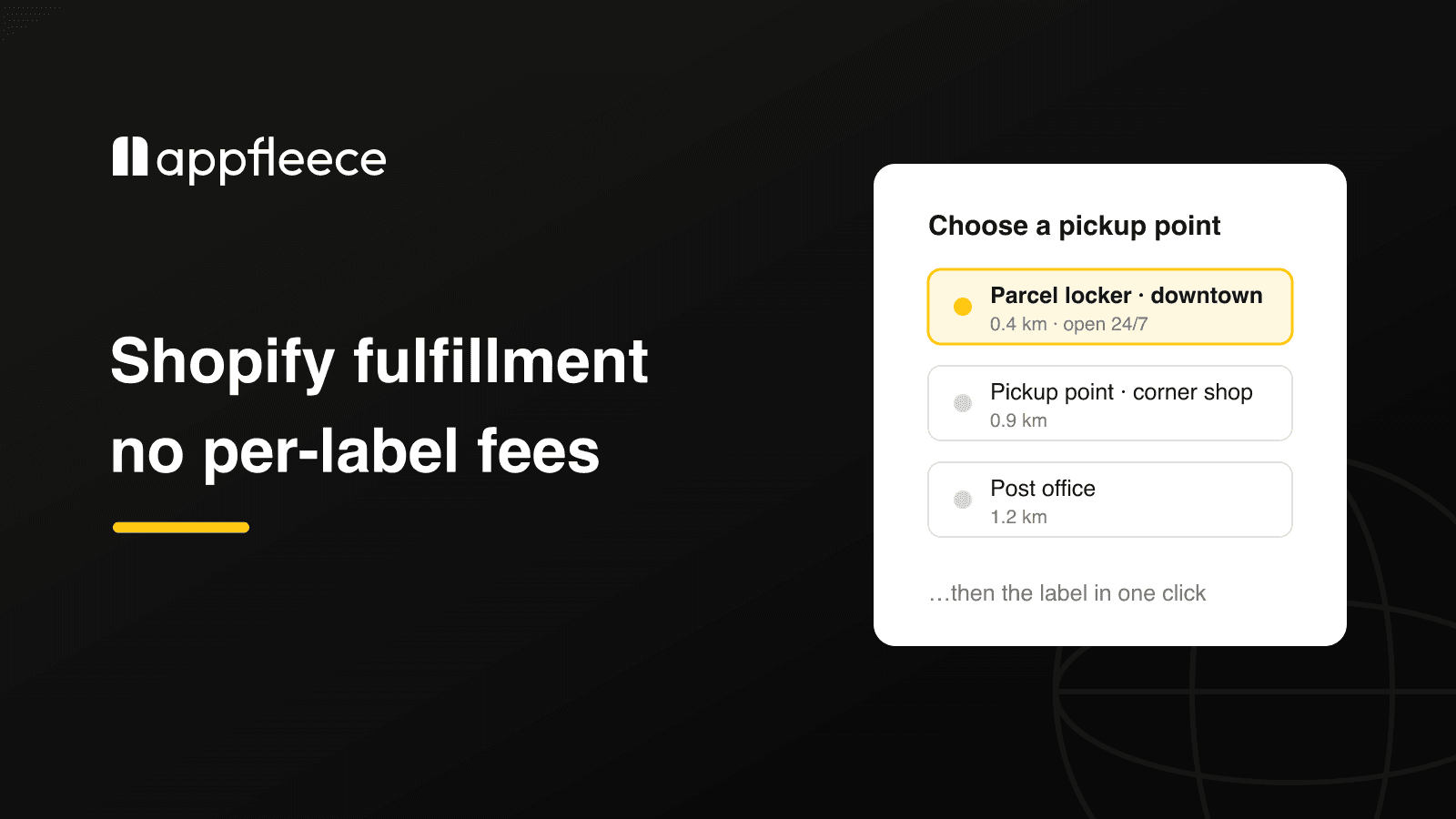
We built Globe for this, and pickup point selection deliberately exists in four places — because every store runs a different plan and serves different customers:
Four places to pick a pickup point: the cart widget on every plan, the checkout map on Shopify Plus, shipping rates on Advanced, and post-purchase selection for express payments
The cart widget — an interactive map with all carriers at once, works on every Shopify plan and is enabled in the theme editor, no coding. This is the route for most stores.
A map directly in checkout — native selection at checkout, requires Shopify Plus.
Nearest points as shipping rates — on the Advanced plan, the three nearest locations appear right among the shipping options ("0.4 km · DPD · Pickup point").
Post-purchase selection — on the thank-you page. Not a detail: express payments like Apple Pay or Shop Pay can skip the shipping step, and the order would otherwise arrive without a point. The safety net is completed by an automatic reminder email and a validation rule that keeps an order without a selected point from leaving checkout.
Altogether there are over 5 million pickup points from 65+ carriers across 180+ countries on offer — DHL lockers and service points, InPost Paczkomaty, Mondial Relay, PostNord, Packeta and dozens more. And if you run your own stores or lockers, they can go on the map too.
Carriers: labels on your own contracts
Most pickup-point apps stop at the map. Globe also prints the labels: DPD, GLS, UPS, Packeta, PPL, Magyar Posta, FoxPost and One by Allegro are among the 15 carriers Globe prints labels for directly through their APIs — in bulk from the orders overview, or one by one. Carriers without a direct integration, DHL and InPost included, are handed their orders via a configurable CSV/XLS export into the carrier's own system. And printing works for home delivery too, not just pickup points.
The key phrase is "your own contracts": labels print on your carrier account, so you keep your own negotiated prices, pickups and invoicing. The app does not resell transport, does not mark it up and takes no percentage of it.
And if you have no contracts of your own — or volumes too small to negotiate good rates for — labels can also be printed through Boxpi by GymBeam: a platform with pre-negotiated carrier rates across 16 European countries that often beat a direct contract.
What fulfillment looks like in practice
The fulfillment run: select orders, print labels in bulk, print the handover list and let automatic fulfillment with tracking do the rest
Select the orders in the overview and hit "Create shipping labels". The app first checks for anything that would break the run — say an unpaid order without cash on delivery.
Print the labels and the handover list for the whole batch, including locker drop-off codes where the carrier uses them.
The rest happens by itself — the order gets fulfilled, the customer receives tracking, and delivery statuses sync back into Shopify.
If you want, automate step one as well: with Shopify Flow, labels can be created automatically when an order is paid, and orders can have the nearest pickup point assigned for them.
Cash on delivery travels on the label including the amount and currency, and with selected carriers the order marks itself as paid once the parcel is collected. If you want to charge a COD fee at checkout, that is our other app, Payflow — Globe deliberately stays out of payment-method fees.
What it costs
One flat fee: $15 per month ($30 on Shopify Plus), with two months free on annual billing. It includes an unlimited number of orders, labels and carriers — no credits, no per-parcel surcharges. The first 14 days are a free trial.
It is worth doing the math: with fulfillment tools priced per shipment, costs grow with every order. A flat fee means you pay the same in peak season as in January.
What to prepare
You need three things to launch:
A contract and API credentials from the carrier — issued by the carrier with the contract you most likely already have.
Shipping mapping — which shipping option in Shopify belongs to which carrier; shipping prices stay in Shopify.
Sender details — the address for the labels and a bank account if you ship cash on delivery.
Pickup points themselves work within minutes of installing; with COD and mapping, plan for an hour. Globe has documentation and in-app support in seven languages — and a 5.0 rating from 116 reviews on the Shopify App Store.
If you are still planning pickup-point delivery — perhaps entering a European market where lockers are the default — get in touch, we do this all the time.
Frequently Asked Questions
No. Globe costs $15 per month ($30 on Shopify Plus) and includes an unlimited number of orders, labels and carriers. Shipping itself you pay to the carrier under your own contract — the app does not resell or mark up transport.
No. The map widget in the cart works on every Shopify plan, with no code changes. Shopify Plus is only needed for picking a point directly in checkout; on the Advanced plan you can additionally offer the nearest points as separate shipping rates.
Fifteen carriers have a direct API integration — among them DPD, GLS, UPS, Packeta, PPL, Magyar Posta, FoxPost and One by Allegro. For carriers without a direct integration, such as DHL or InPost, Globe offers pickup points at checkout and hands the orders over via a configurable export to the carrier's own system.
Express payments (Apple Pay, Google Pay, Shop Pay) can skip the shipping step. Three safeguards handle it: picking a point on the thank-you page right after purchase, an automatic reminder email, and a validation rule that stops an order without a point from leaving checkout at all.