The New EU Withdrawal Button: What Your Shopify Store Must Do 🇪🇺
Jan Němec
From June 19, 2026, a new EU rule applies: every online store that sells to consumers in the EU must offer an easily accessible "withdrawal button" on its website. This is not a new right – the 14-day cooling-off period has existed for years. What is new is that customers must have a simple online way to exercise it. In this article we explain exactly what the law requires, who it applies to, the penalties for non-compliance, and how to handle it in practice on Shopify.
What changes on June 19, 2026?
EU Directive 2023/2673 introduces a mandatory electronic "withdrawal function" – in practice a clearly visible button or link through which a customer can withdraw from a contract just as easily as they ordered. The rule builds on the existing 14-day right of withdrawal (the cooling-off period) and standardizes how the customer exercises it.
Who it applies to (and who it doesn't)
Every store selling to consumers in the EU — regardless of where the business is based; it is enough that you target customers in an EU country.
B2B sales are out of scope — the obligation does not cover contracts concluded between businesses.
Right-of-withdrawal exemptions — where there is no right of withdrawal by law, you don't need the button either; this notably covers custom-made and personalized goods, perishable goods, unsealed hygiene goods, and digital content the customer started after giving explicit prior consent and acknowledging they lose the right of withdrawal.
In Shopify you can also mark specific products or collections as "final sale" – customers then can't request a return or cancellation for them through the portal. This is the practical way to exclude made-to-order goods or, for example, a cash-on-delivery fee handled as a separate product that doesn't make sense to return on its own. The toggle is only the mechanism, though – the statutory exemption applies where the goods genuinely qualify (e.g. truly made-to-order or personalized), not because you marked them final sale.
Shopify Final sale items – products excluded from self-serve returns and cancellations (a made-to-order snowboard and a COD fee)
What exactly the button must do
To comply with the directive, the "withdrawal function" must meet four requirements:
Prominently displayed and easy to reach — the button or link must be clearly labeled, easily accessible throughout, and not buried behind disproportionate steps; for a guest-checkout purchase, forcing an account login can be such a step.
Two-step confirmation — the customer first clicks "withdraw from contract", enters their name and an order reference, and then confirms with a "confirm withdrawal" button.
Automatic confirmation email — after submission, the store must send the customer an acknowledgement of receipt on a durable medium (typically email), without undue delay, including the time of receipt and the content of the withdrawal.
Available throughout the period — the function must be available on the site for the full 14 days during which the customer can withdraw.
How to handle it on Shopify — 3 paths
Shopify has published its own guidance, and you essentially have three routes: its free native self-serve flow, a login-free form built from free Shopify tools, or a purpose-built vetted app. Here's how each works and the trade-offs.
1) Shopify native tools (free)
Shopify's built-in Self-serve returns and cancellations cover the core of what the directive asks for – automatically and for free. Set them up in three steps:
Turn on Self-serve returns and cancellations (Settings → Customer accounts) and set the conditions in Return and cancellation rules.
Shopify Customer accounts settings – the Self-serve returns and cancellations toggle switched on, with the Return and cancel requests option enabled
Set rules per market. For the EU, enable returns with a 14-day window from delivery; for markets outside the EU you can leave returns off, so the option isn't offered there.
Rule for the EU market: a 14-day return window from deliveryRule for a non-EU market: no returns, cancellation only until fulfilment
Add a visible "Withdrawal from Contract" link in your footer, pointing to the customer account orders page, so the option is easy to find.
A "Withdrawal from Contract" link in the store footer, under Customer support
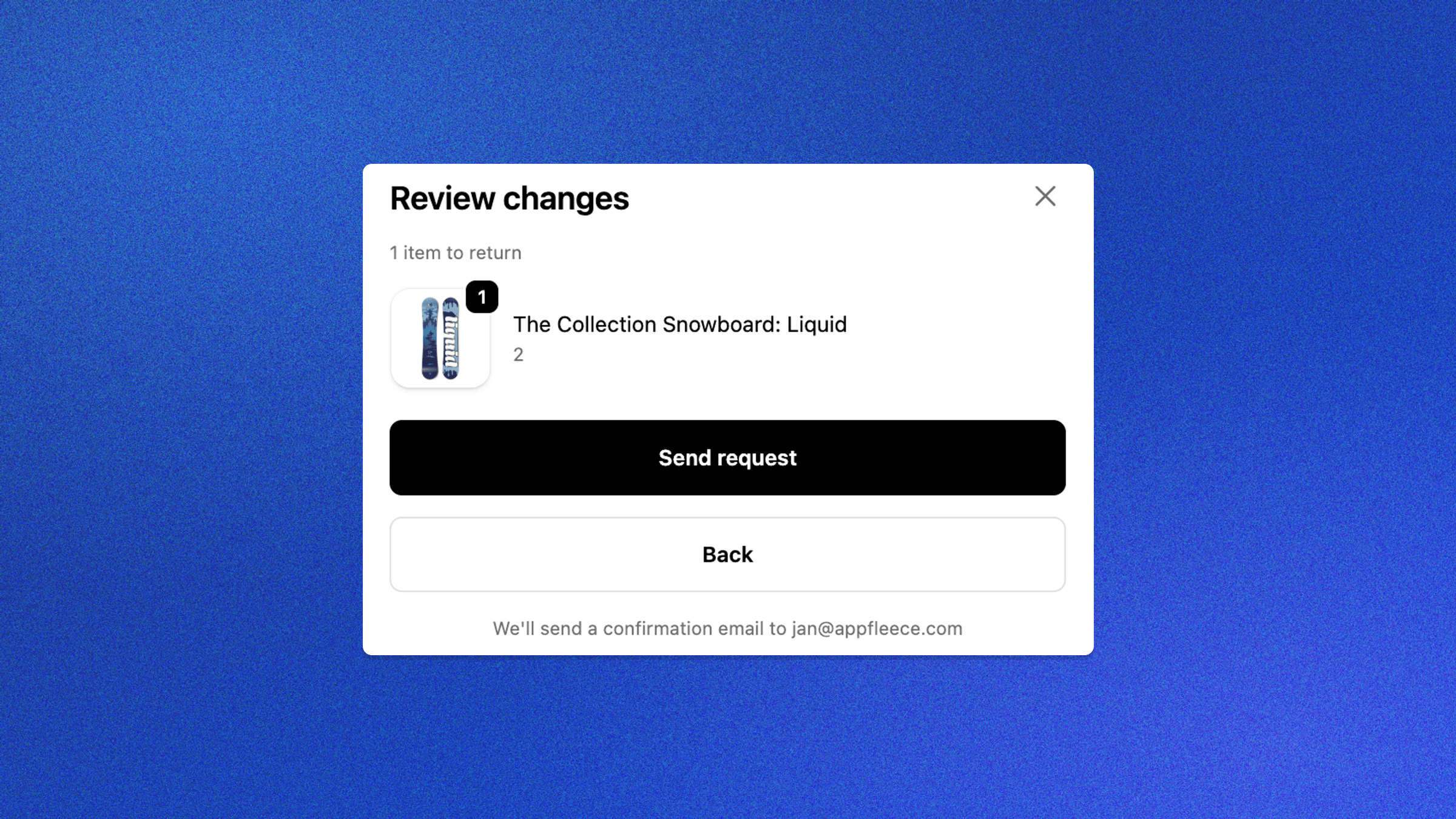
The customer then requests it from their account; the request lands in your admin, Shopify automatically emails them a confirmation, and you process it there – far clearer than parsing a free-text form with an order number.
Customer view – Shopify's "Return items" page: the item to return, reason and estimated total; the made-to-order product is shown as an ineligible "Final sale" itemShopify's automatic confirmation email to the customer after a request – "Your refund request has been sent" with the order number and return summary
One caveat: the whole flow runs through a customer-account sign-in – no extra friction if your store requires an account, but a gray area for guest checkout.
Upside: fully automated and free — ideal if your store already requires an account. Downside: the entry sits behind a (light) login, a gray area for guest checkout.
2) A login-free form
Built mostly from free Shopify tools (Shopify Forms) and reachable without any login:
In Shopify Forms, create a form with name, email and order number fields (a reason field is optional – withdrawal needs no reason). Set marketing consent to don't subscribe – a withdrawal request isn't a marketing opt-in.
A custom "Withdrawal from the Contract" form in Shopify Forms with name, email, order number and reason fields – live preview of the login-free form on the right
Put the form on a standalone, public page (e.g. /pages/withdrawal) reachable without login, and turn on Email notifications ("Send an email for each submission to this form") so you're alerted to each request – it goes to the store email listed under store details (no Shopify Flow or extra app needed).
The withdrawal form live on a public Shopify page (/pages/withdrawal) – name, email, order number, an optional reason and note, with a "Send request" button – reachable without login
Link to it prominently from your footer (and your terms and conditions), so the option is easy to find.
A "Withdrawal from Contract" link in the store footer, under Customer support
The customer still needs the durable-medium confirmation – an on-screen "thank you" doesn't count (it isn't durable). Send it as a transactional email: if you already use an email platform like Ecomail or Klaviyo, use its transactional message – transactional ≠ marketing, so it needs no consent and no unsubscribe footer, and costs nothing extra when you're already on the plan. Fire it from the submission event — Shopify Flow's "Metaobject entry created" → your ESP's track event action, sent as transactional.
Shopify Flow: a "Metaobject entry created" trigger (Withdrawal Request) running Klaviyo's "Track an Event" action – the event-based, transactional way to send the customer's confirmation
No such platform? A small transactional-email app does the same. (Don't force a marketing opt-in or route it through the marketing channel just to send it – that's a GDPR consent problem; for very low volume you can also reply by hand.) Then process the cancellation or refund in your admin, where Shopify emails the customer the outcome for free.
Upside: genuinely login-free, built mostly from free Shopify tools. Downside: the automatic durable-medium confirmation isn't free-native – either manual (low volume only) or via a transactional platform (Ecomail/Klaviyo); without one you'll likely end up paying for a tool anyway.
3) A vetted app
If you'd rather not build anything, there are apps made specifically for the withdrawal button – they add a login-free button, a two-step form, and an automatic confirmation email in line with the directive. One is Revoq – EU Withdrawal Button; some cookie-banner / GDPR apps have also added it as a feature (e.g. Pandectes GDPR Compliance, though that's primarily a cookie-banner tool).
Upside: ready in a few clicks – login-free, two-step and a compliant confirmation out of the box. Downside: a monthly fee. But if path 2 would need a paid app for the confirmation anyway, a purpose-built app is arguably the cleanest choice from the start.
Don't forget your terms and conditions
Whichever path you choose, describe the right of withdrawal and its exemptions in your terms and conditions. If you sell made-to-order goods or other products that fall under the statutory exemptions, state it clearly – you'll avoid disputes and unnecessary requests.
And what's at stake if you don't comply
Extended period — if you fail to properly inform the customer about the right of withdrawal, the period extends to up to 12 months and 14 days, so the customer can return goods much later.
Fines — widespread, cross-border infringements can carry fines of up to 4% of annual turnover (in some member states even higher caps apply).
Legal warnings — from competitors and consumer-protection bodies.
Summary
From June 19, 2026 you must offer a visible withdrawal button.
It must be prominently displayed and easy to reach, two-step (name + order → confirm), and send an automatic confirmation on a durable medium (email).
Shopify native is fast, free, and covers the core mechanics; set rules per market (EU = 14 days, non-EU can be no returns). A login is fine if your store requires an account — for guest checkout it sits in more of a gray area.
A login-free form (Shopify Forms) needs no login and is mostly free, but the automatic confirmation usually rides on a transactional email platform (or a paid app).
A vetted app is the fastest, ready-made route — paid, but compliant out of the box.
Don't forget your terms and conditions and the exemptions (made-to-order goods, etc.).
This article is for information only and is not legal advice. Consult a lawyer about your specific solution and exemptions.
Frequently Asked Questions
It is a mandatory electronic function introduced by EU Directive 2023/2673, effective June 19, 2026. It is a clearly labeled button or link on your store that lets a consumer easily exercise their existing 14-day right of withdrawal. It is not a new right – just a new, standardized way to exercise it online.
It depends on how purchases work in your store. The native self-serve returns cover the mechanics and the automatic confirmation email. If your store requires an account to purchase, requiring login at withdrawal is fine. But if you allow guest checkout, the login is an extra step – and the directive wants withdrawal to be at least as easy as buying. In that case add a login-free entry point (a footer link to a public form), a vetted app, or a custom solution.
Yes. The obligation applies to any store selling to consumers in the EU, regardless of where the business is located. What matters is that you target customers in an EU member state. It does not apply to pure B2B sales between businesses.
For goods, the period generally starts on the day the consumer (or a person they designate) takes physical possession of the goods. For services and digital content, it starts when the contract is concluded. If you fail to properly inform the customer about the right of withdrawal, the period extends to up to 12 months and 14 days.
No. You only need the button where a right of withdrawal actually exists. The statutory exemptions – notably custom-made and personalized goods, perishable goods, unsealed hygiene goods, and digital content the customer started after explicit prior consent and acknowledging the loss of the withdrawal right – have no right of withdrawal, so no button is required for them. Always describe these exemptions in your terms and conditions.