QR code payments on Shopify
Give customers paying by bank transfer a faster way to pay: a scannable QR code with the amount and variable symbol already filled in. Show it on the thank-you page and in order-confirmation emails—free, with our Payflow app.
Works for Czech and Slovak bank accounts
QR payments work out of the box for 🇨🇿 Czech and 🇸🇰 Slovak bank accounts (QR Platba / SPAYD). Selling in another country and need the local bank QR format? Get in touch—we're happy to add support.
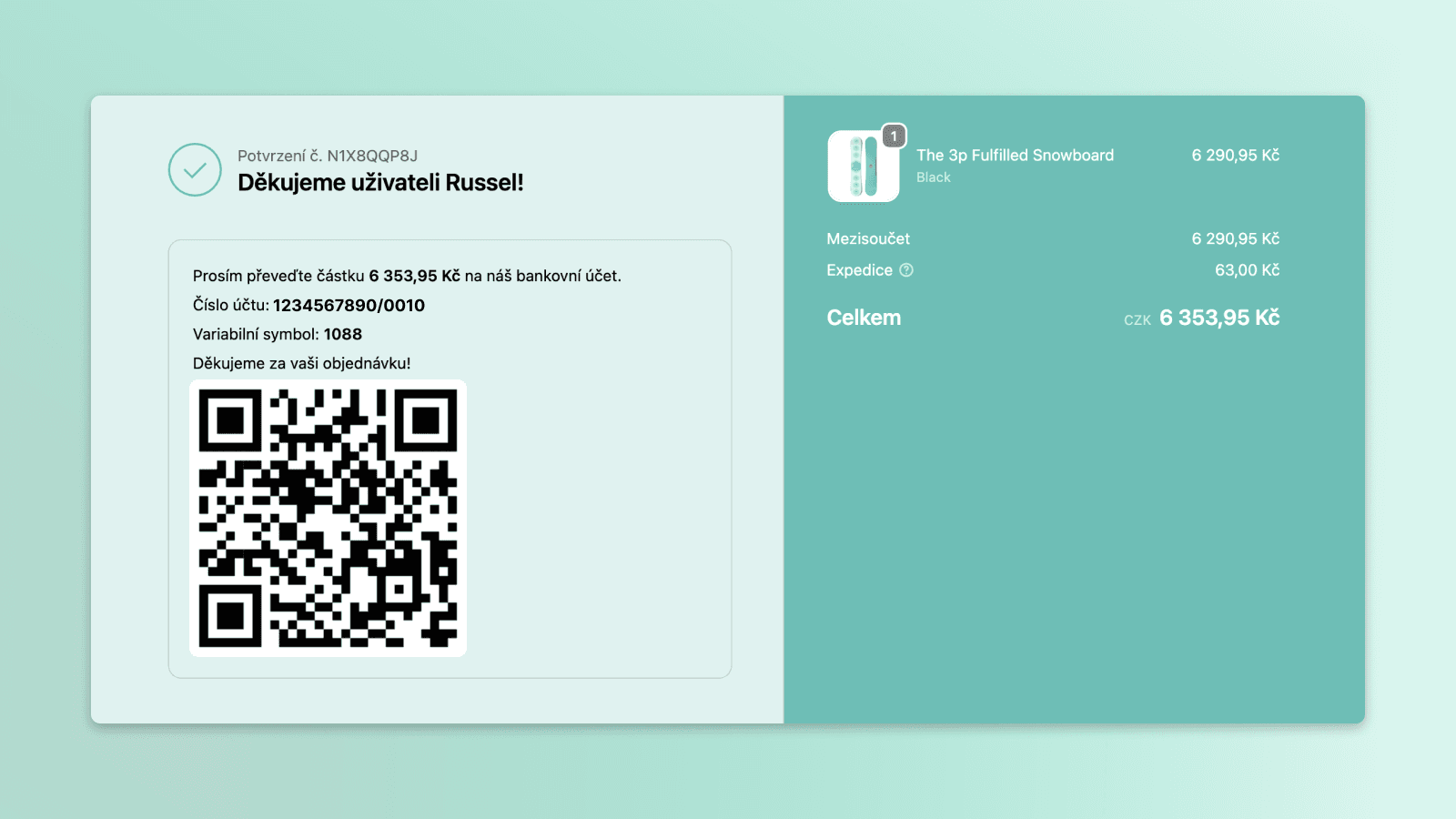
QR code on the thank-you page
Why add a payment QR code?
A QR code turns a bank transfer into a quick scan-and-confirm. Customers pay faster and with fewer mistakes—and you get paid sooner, with no extra apps to wire up.
Scan and pay in seconds
Free to set up, no developer
Built for Czech & Slovak banks
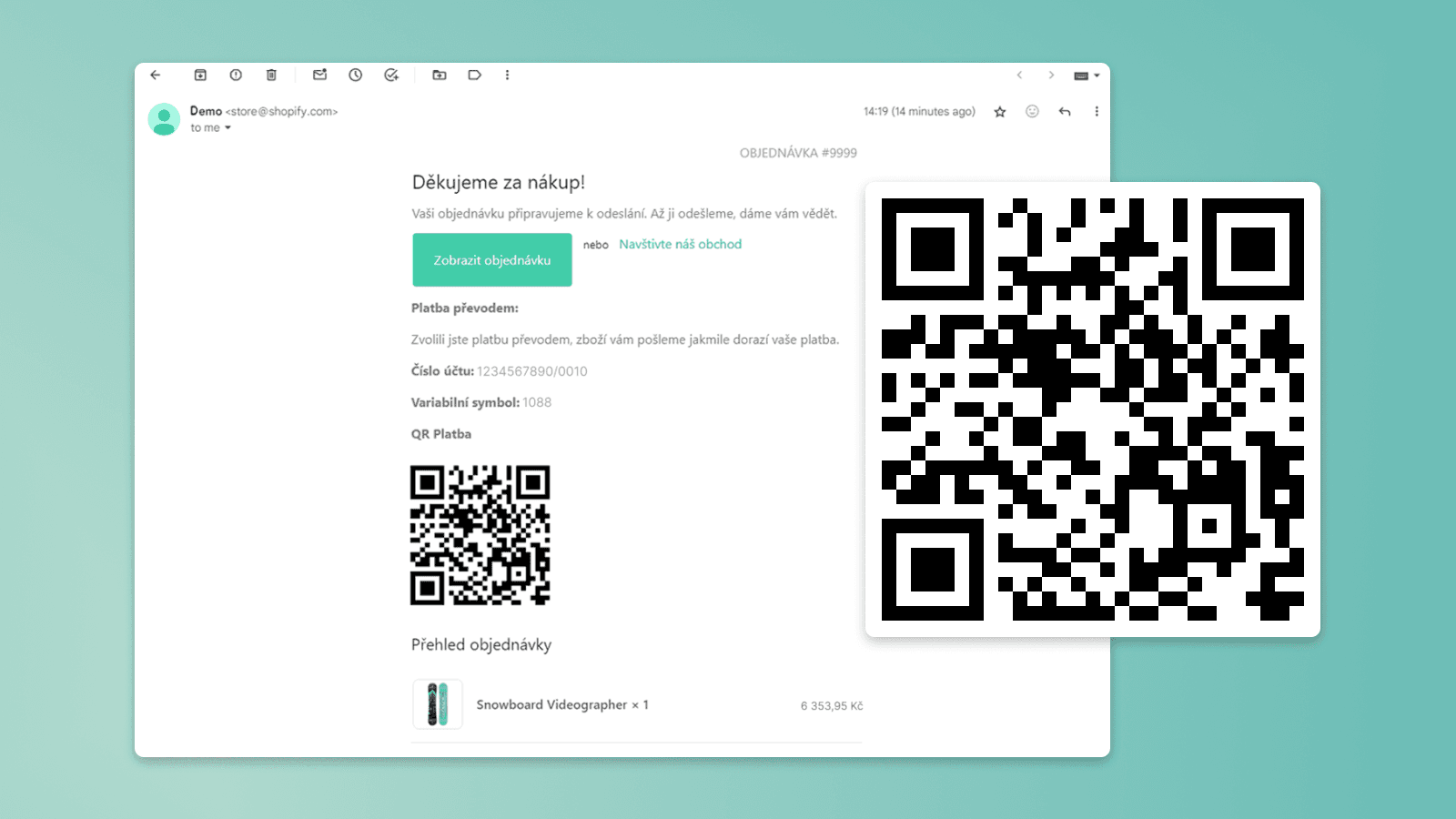
QR code in order-confirmation emails
Frequently Asked Questions
A QR code payment lets customers paying by bank transfer scan a single code that fills in your account number, the exact amount, and the variable symbol automatically—so they just open their banking app, scan, and confirm. With the Payflow app you can add it to your Shopify thank-you page and order-confirmation emails for free, with no developer.
For a single bank account, no—it's free. The thank-you-page QR is set up as a Payflow customization, and Payflow's free plan includes one customization, which is exactly what it needs. The order-email QR is free too: a short copy-and-paste code snippet with a step-by-step video tutorial you can add yourself in about a minute (or we'll add it for you for free). If you need to collect into several bank accounts or currencies—say one for CZK and one for EUR—that's more than one customization, so it needs Payflow's paid plan at $4.99/month. Some agencies charge thousands for the same feature.
Czech and Slovak bank accounts using the QR Platba / SPAYD standard are supported out of the box. For other countries' QR formats, contact us and we'll look into adding it.
On the thank-you (order-status) page right after checkout, and inside the order-confirmation email—so customers can pay immediately or later from their inbox.
Yes. The QR code is generated per order with your bank account, the order total, and the variable symbol pre-filled, so customers just scan and confirm.
No—any Czech or Slovak banking app with built-in QR payment scanning works, and most major banks include it. Customers open their banking app, scan the code, and confirm the pre-filled payment. There's nothing extra for them to install.
For the thank-you page, no—it's set up entirely through the Payflow app with no code. The order-confirmation email does need a small code snippet pasted into the email template, but our step-by-step guide includes a video showing exactly what to add and where, so you still don't need a developer. Or get in touch with us—we'll customize it for free. 🤗
Interested in collaborating on a project?