

Company ID, VAT number and a VIES check in Shopify checkout
A business customer enters their company ID and VAT number right in checkout, and we check the number against the VIES register on the spot. A company from another EU country then pays the price without VAT.

Buying as a company in the Elmich checkout
What the customer sees in checkout
The block follows the delivery country and the answer from VIES.
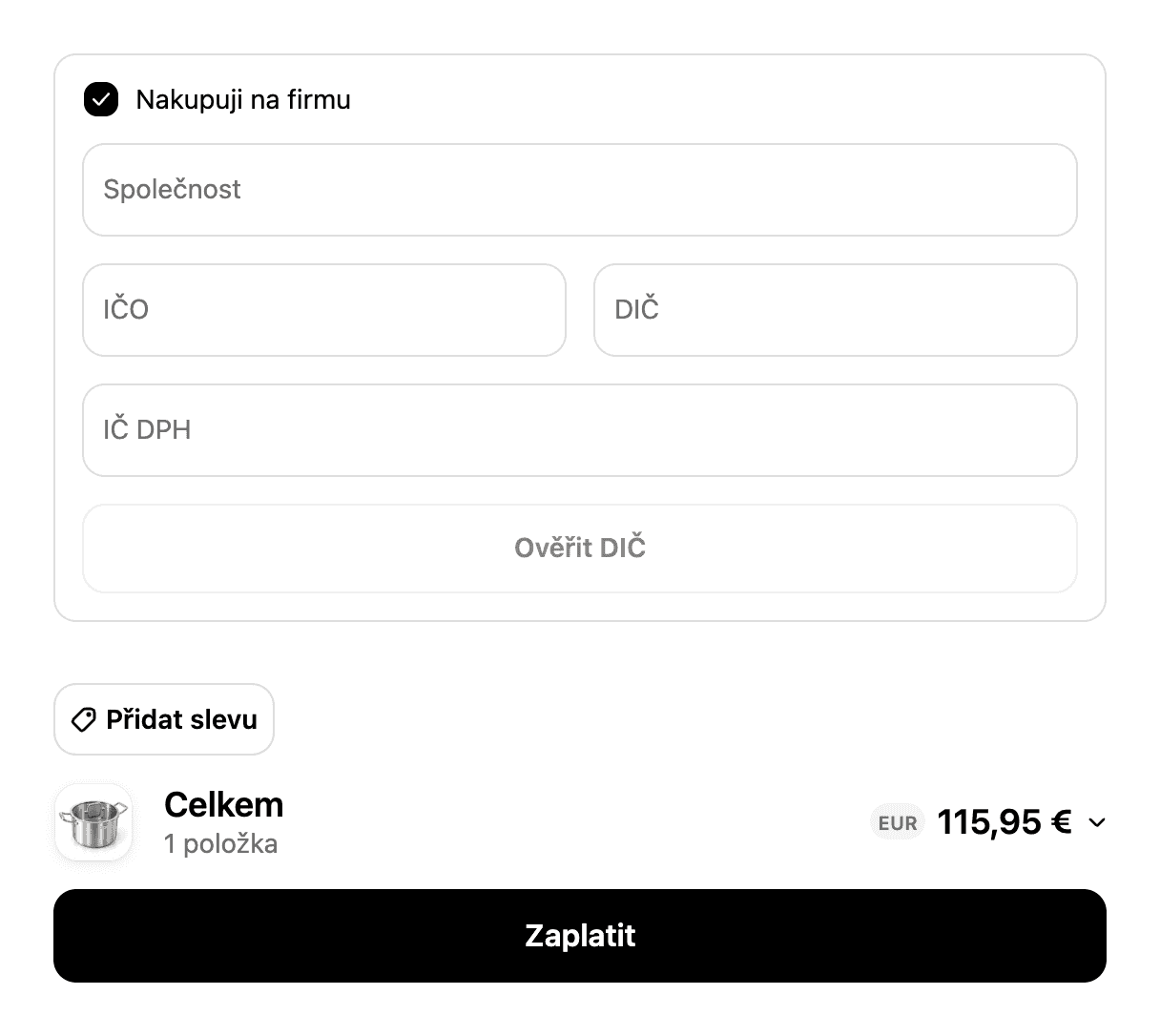
Fields by country
Ship to Slovakia and an IČ DPH field appears. Slovak companies have a tax number and a VAT number as separate IDs.
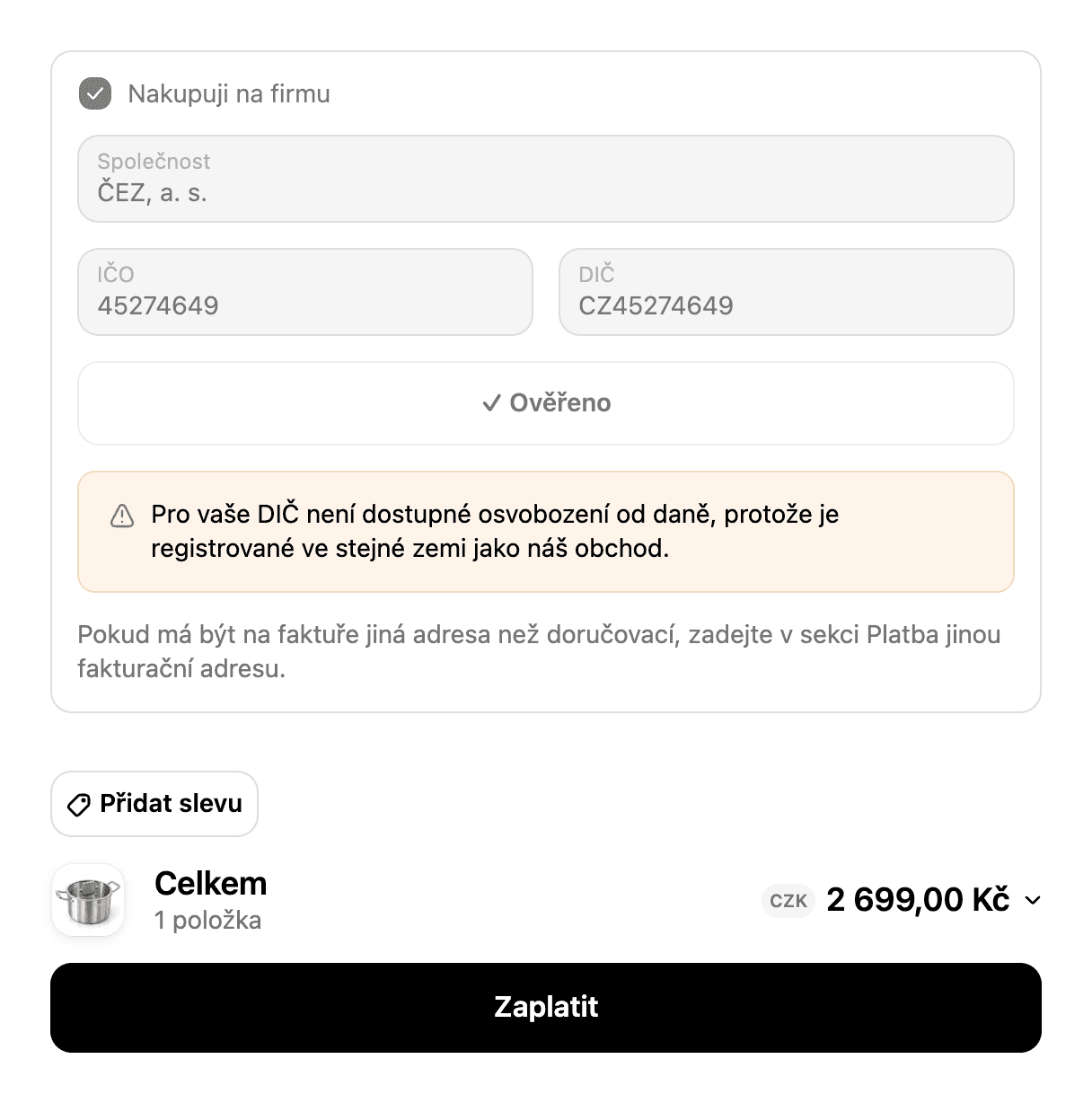
A company from the same country
The block verifies a Czech VAT number in VIES but keeps VAT in the price and says why.
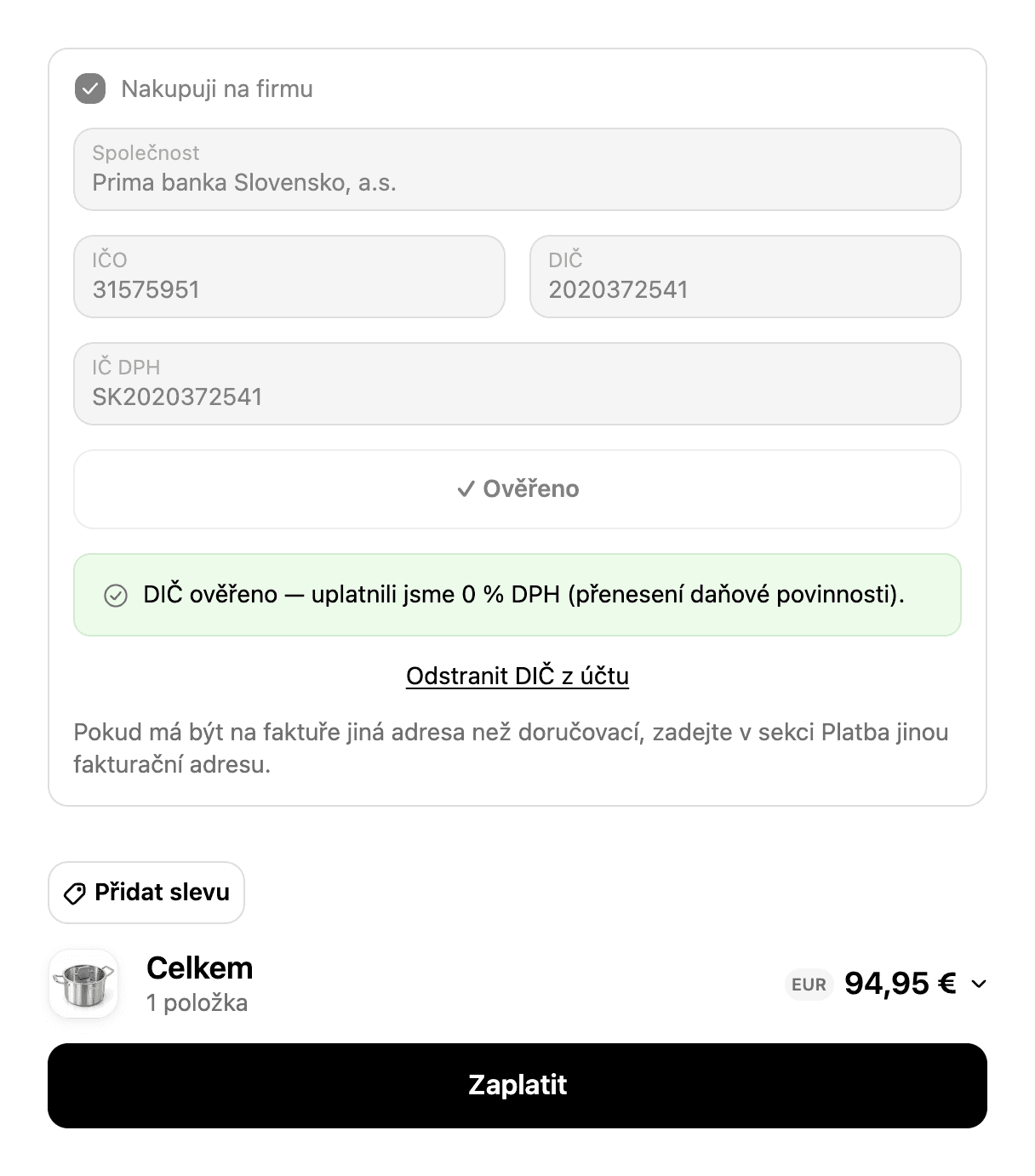
0% VAT for a company from another EU country
A Slovak company with a verified VAT number: the price drops from €115.95 to €94.95.
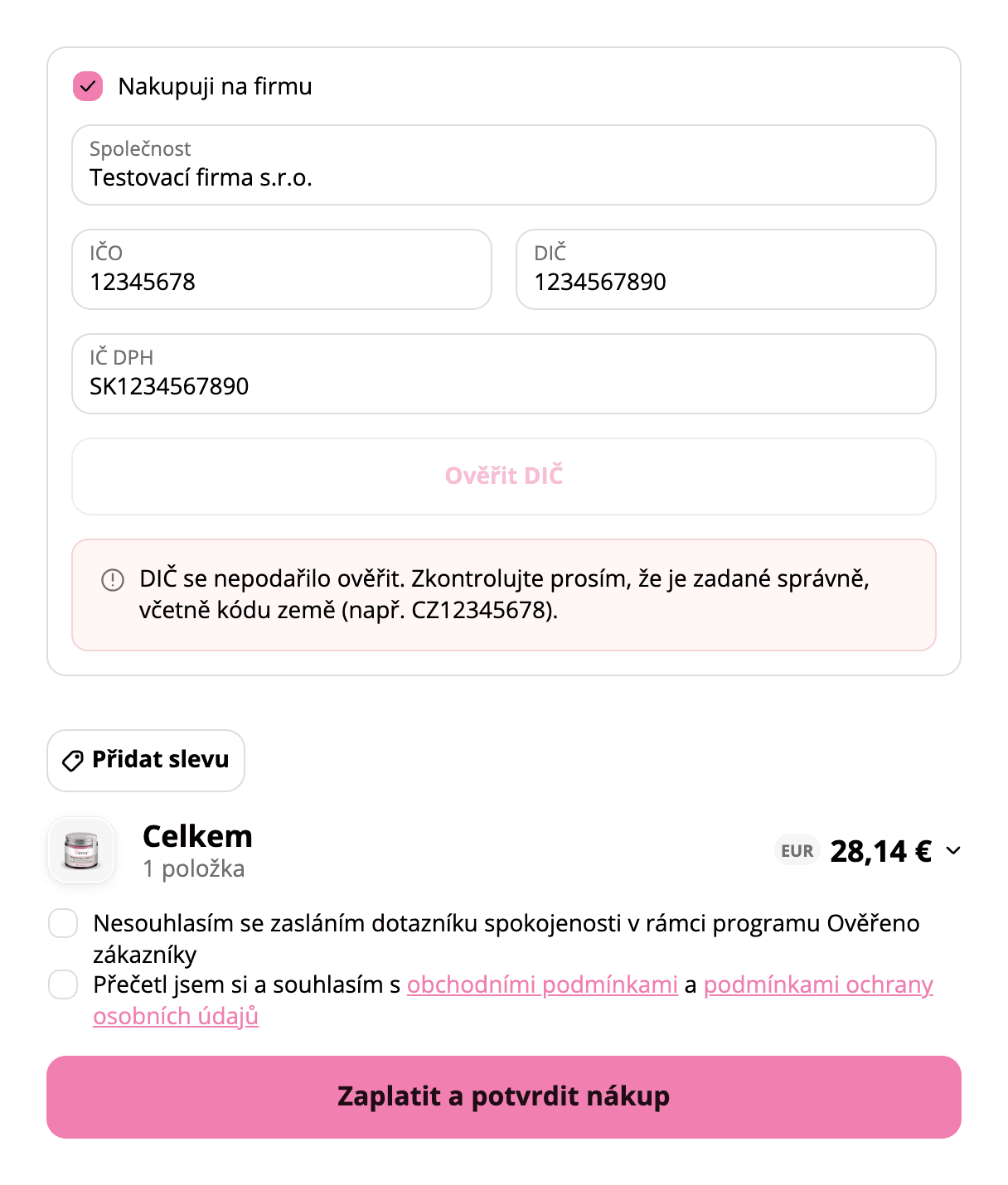
Invalid VAT number
A number VIES does not know is rejected. On verra.cz in the store’s colours.
Company details in the customer account
A verified company keeps its details in the account. Next time there is nothing to fill in.
Company details and VAT number
A block in the customer profile with the verified VAT number, company name and company ID.
Tax exemption
Shopify stores the EU reverse charge on the customer. Checkout uses it to calculate the price without VAT.
With Shopify Plus or without it
Shopify allows fields inside checkout only on the Plus plan. Stores without Plus get the same in the customer account.
With Shopify Plus
The customer enters the company number and VAT ID right in checkout. VIES checks it before payment.
Without Shopify Plus
The customer enters company details in their account. Checkout then applies the VAT-free price on its own.
Frequently Asked Questions
What is VIES?
When does the customer pay without VAT?
Does the store need Shopify Plus?
Where are the company details stored?
Got a problem no app solves?
Tell us about it. We'll say whether it takes a setting, an app or custom development.